Difference between revisions of "Alien Addition"
Amycjgrace (talk | contribs) (→A Note to Parents) |
Amycjgrace (talk | contribs) (→Your Child and the Computer) |
||
| Line 65: | Line 65: | ||
Today, computers are involved in almost every aspect of life. Working with this cartridge can help your child become familiar with computers and their operation. Since computer-enhanced instruction is more common in the classroom every year, this knowledge can give your child an important advantage. | Today, computers are involved in almost every aspect of life. Working with this cartridge can help your child become familiar with computers and their operation. Since computer-enhanced instruction is more common in the classroom every year, this knowledge can give your child an important advantage. | ||
| + | |||
| + | ===Playing Alien Addition=== | ||
| + | When the game begins, five alien space ships are displayed at the top of the screen. Each ship has a different addition problem on its side. The space ships make a beeping sound as they advance, one by one, toward the laser cannon at the bottom of the screen. | ||
| + | |||
| + | The object of Alien Addition is to "equalize" the attacking ships before they reach the laser cannon and destroy it. To do this, your child positions the laser cannon beneath an alien ship, displays the answer to that ship's problem on the laser cannon, and fires the cannon. When the answer on the cannon is correct, the laser blast equalizes the alien ship and a hit is scored. | ||
| + | |||
| + | Equalizing an alien ship causes it to explode with a shower of red sparks. Each time a ship is equalized, another ship with a new problem takes its place at the top of the screen, and the attack continues. | ||
| + | |||
| + | ====When Your Child Misses a Problem==== | ||
| + | |||
| + | If the number displayed on the laser cannon is not the correct answer to a ship's problem, firing the cannon at that ship scores a miss. A ship that is fired upon and missed advances out of turn. Any alien ship that is not equalized before it reaches the cannon range at the bottom of the screen destroys the laser cannon. When this happens, the laser cannon explodes into an ominous, grey cloud. If alien ships destroy three laser cannons before the game's time limit has expired, the game is over. | ||
Revision as of 01:52, 14 April 2020
| Alien Addition Manual Front Cover | |
|---|---|
 Alien Addition Manual (Front Cover) | |
| Publisher(s) | Developmental Learning Materials (DLM) with Texas Instruments (TI) |
| Original Retail Price | $24.95 (USD) |
| Programmer(s) | Susan Powell |
| Part# | PHM 3115 |
| Format(s) | Solid State SoftwareTM Command Module |
| Release | 1982 |
| Genre(s) | Educational, Mathematics |
Alien Addition is an educational software title intended to help younger learners with Math. Developmental Learning Materials (DLM) who helped create the software for Texas Instruments (TI), calls the software an Arcademic title, an amalgamation of academic and arcade. The idea was to create a game that was educational, yet entertaining enough to encourage learners to keep playing. Alien Addition was programmed by Susan Powell and was released in 1982. Its original retail price was $24.95 (USD).
Contents
Gameplay
In Alien Addition, Space Invaders meets addition. Five alien spacecraft appear at the top of the screen and approach the player's laser cannon that sits at the bottom of the screen. The unique difference between regular Space Invaders and Alien Addition is that the alien spacecraft display an addition problem, and the player's laser cannon displays possible answers. The player needs to line up his/her laser canon beneath the alien spaceship that displays the correct addition problem for the answer his/her laser cannon corresponds to. If the player correctly aligns his/her laser cannon with the spaceship displaying the corresponding addition problem and shoots, the alien craft is destroyed. It the player shoots a spacecraft with a problem that doesn't line-up with the laser canon's answer, the alien craft falls downward quickly. It's imperative, therefore, that the player act quickly, yet accurately in order to survive the alien onslaught. Alien Addition is suitable for players in kindergarten through sixth grade.
Advertising Blurb (from Front Cover of Manual)
An arcade game format provides fun and challenge while increasing math skills in addition of numbers from 0 to 9. Suitable for children from kindergarten through sixth grade.
Manual
An Open Letter from Developmental Learning Materials
CONGRATULATIONS on purchasing an ARCADEMICTM SKILL BUILDERS IN MATH program-software that provides fun while practicing basic math skills for players of all ages. This innovative game combines fast action, colorful graphics, and an arcade game format with learning that creates persistence and involvement found in arcade game players.
This game is based on a theory of combining proven educational techniques with a highly motivating format that challenges the player to learn. The game control options allow the control of the speed at which the game is played, the numbers that appear in the problems, the length of each game, and the mode-whether controlled by joysticks or keyboard-in which the game can be played. These options maximize the fun and learning by providing:
- Success in Learning-rather than preventing errors, success in these games is reflected by improvement. Starting players where they "aren't" (usually producing high rates of errors) and then moving back or ahead to provide success maximizes learning as well as creates challenge. Poor performance is not viewed by players as failure but as a challenge to improve.
- Individual Needs-selecting the appropriate numbers for the problems in this format will help players "want" to learn. They will find needed repetitious drill as fun and stimulating as other types of learning.
- High Rate of Learning-players must employ the best strategy under exciting circumstances to make rapid responses while being given immediate feedback to meet the challenge of the game.
- Evidence of Improvement-players have an unlimited ceiling on performance, immediate feedback on performance that continues to challenge, and a framework for success.
We know you will see the difference with this software! Players will be fascinated with the game while working toward the overall objective: to increase correct responses (hits) and decrease incorrect ones (misses) to basic arithmetic problems.
Your ARCADEMIC SKILL BUILDERS IN MATH program makes learning fun, exciting, independent, and successful. Your players will like learning!
Developmental Learning Materials
A Note to Parents
Developmental Learning Materials and Jerry Chaffin and Bill Maxwell of the University of Kansas have developed six programs to help your child learn the four basic math operations of addition, subtraction, multiplication, and division. Four programs emphasize-each of the math operations, and two programs develop discrimination between math operations by presenting problems in both addition and subtraction or in multiplication and division. In all six programs, an arcade game format uses colorful graphics and lively action to create an exciting, involving atmosphere for learning.
Alien Addition, one of the six Solid State Cartridges. can help your child increase speed and accuracy in the addition of numbers from 0 to 9. Alien Addition is learning combined with fun. By playing the game, your child learns and improves essential addition skills.
The arcade game format of Alien Addition is a fast-paced, outer-space version of attackers versus defender. Alien ships that have addition problems on their sides are the attackers. The defender is a laser cannon, controlled by your child, that "equalizes" the alien ships with the correct answer. Different levels of skill and problem difficulty challenge your child to improve his or her speed and accuracy. Alien Addition's colorful graphics and "outer-space" sound effects enhance the action and add to the excitement.
As the game is played, the total of "hits" (correct answers) and "misses" (incorrect answers) is displayed at the bottom of the screen and updated after each laser blast. At the end of the game a RECORD YOUR SCORE screen appears. This screen shows the totals for that game and the lowest and highest game totals for the session. But whatever the score, your child is gaining valuable practice in solving simple addition problems each time she or he plays Alien Addition.
Your Child and the Computer
The Texas Instruments Home Computer is a rugged, durable device designed for easy use and care. Teach your child to give the computer the same good care and respect he or she would give a television set, record player, or any piece of electronic equipment:
- Keep snacks and beverages away from the console.
- Don't hammer on the keyboard or place heavy objects on it.
- Don't touch the cartridge contacts. These are recessed in the cartridge to help prevent accidental soiling and/or damage.
The letters and numbers on the keyboard are arranged in the same order found on standard typewriter keyboards. If your child is not familiar with a typewriter or has not used your Home Computer before, take a few minutes to .acquaint·him or her with the keyboard. Point out the row of number keys at the top and the rows of letter keys below. Show your child how to insert the cartridge and select the activities. If your child is using Wired Remote Controllers, or joysticks, show him or her how to connect the joysticks to the console- and practice using the joysticks in an activity. This brief "tour" of the computer will help reinforce correct procedures and instill confidence as your child starts out in a new world of computers.
Today, computers are involved in almost every aspect of life. Working with this cartridge can help your child become familiar with computers and their operation. Since computer-enhanced instruction is more common in the classroom every year, this knowledge can give your child an important advantage.
Playing Alien Addition
When the game begins, five alien space ships are displayed at the top of the screen. Each ship has a different addition problem on its side. The space ships make a beeping sound as they advance, one by one, toward the laser cannon at the bottom of the screen.
The object of Alien Addition is to "equalize" the attacking ships before they reach the laser cannon and destroy it. To do this, your child positions the laser cannon beneath an alien ship, displays the answer to that ship's problem on the laser cannon, and fires the cannon. When the answer on the cannon is correct, the laser blast equalizes the alien ship and a hit is scored.
Equalizing an alien ship causes it to explode with a shower of red sparks. Each time a ship is equalized, another ship with a new problem takes its place at the top of the screen, and the attack continues.
When Your Child Misses a Problem
If the number displayed on the laser cannon is not the correct answer to a ship's problem, firing the cannon at that ship scores a miss. A ship that is fired upon and missed advances out of turn. Any alien ship that is not equalized before it reaches the cannon range at the bottom of the screen destroys the laser cannon. When this happens, the laser cannon explodes into an ominous, grey cloud. If alien ships destroy three laser cannons before the game's time limit has expired, the game is over.
Downloads
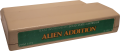
Alien Addition Cartridge

Alien Addition Manual Cover
Alligator Mix Manual Complete (pdf format)
Alligator Mix MAME/MESS Rom (rpk format)

