Connect Four
| Connect Four | |
|---|---|
 Connect Four Manual (Front Cover) | |
| Publisher(s) | Milton Bradley |
| Original Retail Price | $29.95 (USD) |
| Programmer(s) | Elaine Henshon |
| Part# | MB 4965 & PHM 3038 |
| Format(s) | Solid State SoftwareTM Command Module |
| Release | 1979 (3rd Quarter) |
| Genre(s) | Board Game |
Milton Bradley's Connect Four for the TI-99/4 and TI-99/4A was based on the board game with the same name. Connect Four was part of Milton Bradley's Gamevision series of software titles for the TI-99/4 and TI-99/4A. Other titles in the Gamevision series included Yahtzee, Card Sharp, Hangman, Stratego and ZeroZap. It was released during the 3rd quarter of 1979. Connect Four was programmed by Elaine Henshon and originally retailed for $29.25 (USD).
Contents
Gameplay
Just like physical forms of Connect Four, the object of the game, whether in one or two-player mode, is to get four checkers in a row either horizontally, vertically, or diagonally. The player(s) drops checkers at the top of a 7 column by 6 row playing area, trying to get the needed four-in-a-row either against a second player or the computer. Winning requires strategy both to be able to achieve a four-in-a-row, but also to ensure that the computer or human opponent doesn't get four-in-a-row first.
Advertising Blurbs
Front Cover of Manual
Try to connect four checkers in a row - horizontally, vertically, or diagonally - as you develop your own winning strategy with this mind-teasing game.
Back Cover of Manual
How do you try to place your four checkers in a row - across, up and down, or diagonally? What's your opponent's next move? Grapple with these questions as you play with the Connect Four Command Module. Developed for Texas Instruments by the Milton Bradley Company, Connect Four is an entertaining game of chance, challenge, and strategy.
Connect Four module feature let you
- Play against a friend or the computer.
- Choose from three different versions.
- Plan your moves, while the computer alternates players' turns.
Manual
Introduction
Do you try to place your four checkers in a row horizontally, vertically, or diagonally? What will be your opponent's next move? Wrestle with these and other mind-teasing questions as you play with the Connect Four® Solid State Software™ Command Module. Developed for Texas Instruments by the Milton Bradley Company, Connect Four is a thought-provoking game that allows you to develop your own winning strategy.
The Connect Four module gives you options for one or two players, as well as three different versions for a two-player game. The object of the game is to place four checkers in a row - be it across, up and down, or diagonally. While you're thinking through your next move, the computer keeps track of whose turn it is to play. The first player with four checkers in a row wins.
Getting Started
After you choose the Connect Four module from the selection list, a demonstration game automatically appears on the display. The computer alternates turns between two players and drops the checkers into the slots. When four checkers are placed in a row, the game is over. The demonstration continues from one game to another until you press any key to start your own game.
After you press a key, the Connect Four options display appears. You can choose a one-player game and compete with the computer or select one of three two-player games and play against a friend.
One-Player Game
If you press 1 to select a one-player game, a display appears from which you choose one of four skill levels for your opponent - the computer. Starting with Novice, the least challenging, the degree of skill progresses to Master, the most challenging. Press 1, 2, 3, or 4. Next, the keyboard instructions are displayed. To begin the game, press ENTER and the playing board appears.
Two-Player Games
The Connect Four options display offers you three choices for the type of two-player game you want to play. The choices are Basic, Drop Out, and Wild Spot.
- Basic - If you press 2 to select a basic two-player game, you compete against your opponent to be the first to get four checkers in a row on a regular playing board.
- Drop Out - If you press 3 to select Drop Out, you play the basic game with the option to drop out one of your bottom checkers instead of adding one at the top when it's your turn.
- Wild Spot - If you press 4 to select Wild Spot, you play the basic game with the addition of a wild checker on the playing board. After you select the type of two-player game, keyboard instructions for that game are displayed. To begin the game, press ENTER and the playing board appears.
After you select the type of two-player game, keyboard instructions for that game are displayed. To begin the game, press ENTER and the playing board appears.
Downloads

Connect Four Cartridge Gamevision Version front label

Connect Four Cartridge Gamevision Version bottom label
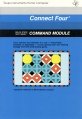
Connect Four Manual front cover (TI Version)
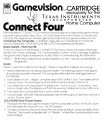
Gamevision Connect Four version instructions

Gamevision Handout (front)

Gamevision Handout (back)
Connect Four Manual Complete (pdf format)

Connect Four MAME/MESS Rom (rpk format)

.png)


